5 Things to Know Before Creating a Token on Solana
Planning to launch your own token on Solana? These 5 key insights will help you avoid common pitfalls and create your token smoothly.
🚀 Token Creation Is Easy — But Not That Simple
Solana has become a top choice for token issuance thanks to its ultra-low fees and lightning-fast confirmations. Whether you're a project team launching a governance token, a community creating a meme coin, or a developer testing a DeFi protocol, creating a token on Solana is the first step.
But before you hit that "Create" button, there are a few things worth understanding. This article walks you through the 5 most important things to know before launching a token, helping you avoid the common mistakes.
📌 #1: Choose the Right Token Standard — SPL Token vs Token 2022
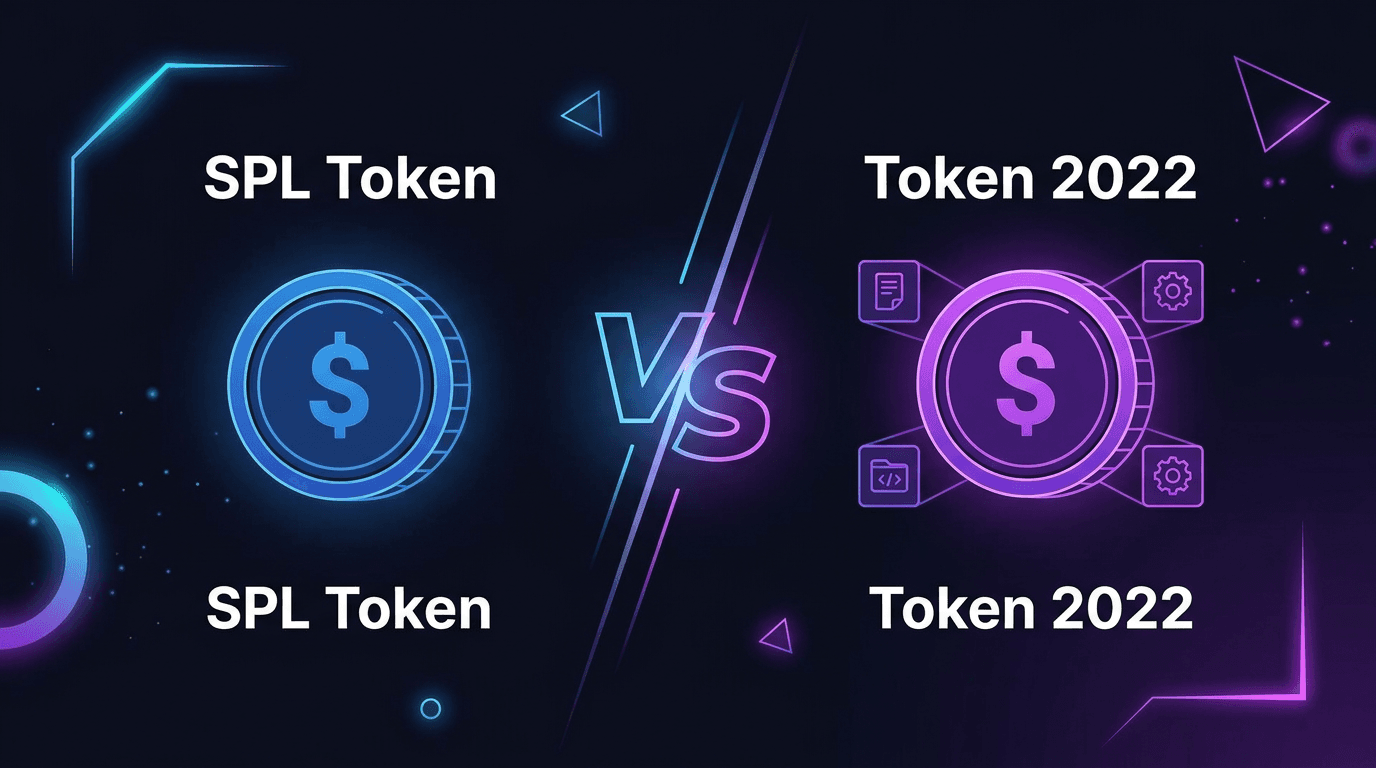
Solana currently has two token standards:
| SPL Token | Token 2022 | |
|---|---|---|
| Compatibility | Supported by virtually all wallets and DEXes | Some older wallets/DEXes don't fully support it yet |
| Transfer Fee | ❌ Not supported | ✅ Supported — set a fee on every transfer |
| Confidential Transfer | ❌ Not supported | ✅ Supported |
| Non-transferable Token | ❌ Not supported | ✅ Supported |
| Creation Cost | ~0.002 SOL | Slightly higher, ~0.003 SOL |
| Best For | Most projects | Projects needing advanced features |
How to choose?
- If your token needs to circulate across various DEXes and wallets, go with SPL Token — it has the best compatibility
- If you need transfer fees (e.g., automatic tax on every transaction) or other advanced features, choose Token 2022
💡 Not sure which one to pick? SPL Token is sufficient 90% of the time. Switch to Token 2022 only when you specifically need one of its features.
📌 #2: Token Decimals Are Not Arbitrary
Token decimals determine the smallest unit your token can be divided into. Once set, this value cannot be changed.
Common choices:
- Decimals 9 — The most common in the Solana ecosystem (SOL itself uses 9 decimals). Recommended for most projects
- Decimals 6 — Similar to USDC/USDT. Good for stablecoins or higher-priced tokens
- Decimals 0 — Indivisible. Suitable for NFT-like tokens or ticket-type tokens
The relationship between decimals and supply:
Higher decimals mean larger raw values stored on-chain. For example, a token with 1 billion supply and 9 decimals stores 1,000,000,000 * 10^9 = 10^18 on-chain. Solana uses u64 for storage, with a maximum of approximately 1.8 * 10^19, so with 9 decimals, the maximum supply is roughly 18.4 billion.
⚠️ If you plan to issue an extremely large supply (e.g., trillions), you'll need to reduce the decimals — otherwise you'll exceed the u64 range and creation will fail.
📌 #3: Authority Revocation Is a One-Way Ticket
When creating a token, you (the creator's wallet) hold three authorities by default:
- Mint Authority — Ability to mint more tokens
- Freeze Authority — Ability to freeze anyone's token account
- Metadata Modification Authority — Ability to change the token's name, image, and other metadata
Many project teams voluntarily revoke mint and freeze authorities after token issuance to prove to the community that the supply won't be inflated and accounts won't be arbitrarily frozen — building holder confidence.
But be aware: authority revocation is irreversible.
Once you revoke mint authority, you can never mint new tokens again. Once you revoke freeze authority, you can never freeze any token account (even in emergencies like theft).
Recommended approach:
- Keep all authorities at token creation time
- After token distribution is complete and liquidity is added, revoke authorities through the token management feature
- Make absolutely sure all preparation is done before revoking
📌 #4: Prepare Your Metadata and Social Links
Token metadata (name, image, description, social links) is written on-chain and displayed across Solscan, Birdeye, wallets, and DEXes. First impressions matter.
Prepare the following:
- ✅ Token Name — Keep it concise and memorable. Avoid duplicating well-known token names
- ✅ Token Symbol — 3-8 characters, typically uppercase
- ✅ Token Image — Recommended: square, at least 256x256 pixels, transparent PNG background
- ✅ Description — One or two sentences explaining the token's purpose or positioning
- ✅ Social Links — Website, X (Twitter), Telegram, Discord
💡 If you don't have images or social accounts ready yet, you can create the token first and update the metadata later through the "My Tokens" feature (as long as you haven't disabled mutable metadata).
📌 #5: Timing Your First Buy Is Critical
If you plan to list your token on platforms like Pump, the time gap between creation and first buy is crucial.
From token creation to on-chain visibility, there are usually only a few seconds. If you don't buy immediately, front-running bots may scoop up cheap tokens before you.
Counter-strategies:
- Use the "Create & Buy" feature — Complete token creation and the first buy in a single transaction, ensuring your purchase can't be front-run
- Set reasonable slippage — Not too low (causing failed transactions) or too high (getting sandwiched)
- Choose appropriate priority fees — Increase priority fees during network congestion to ensure fast confirmation
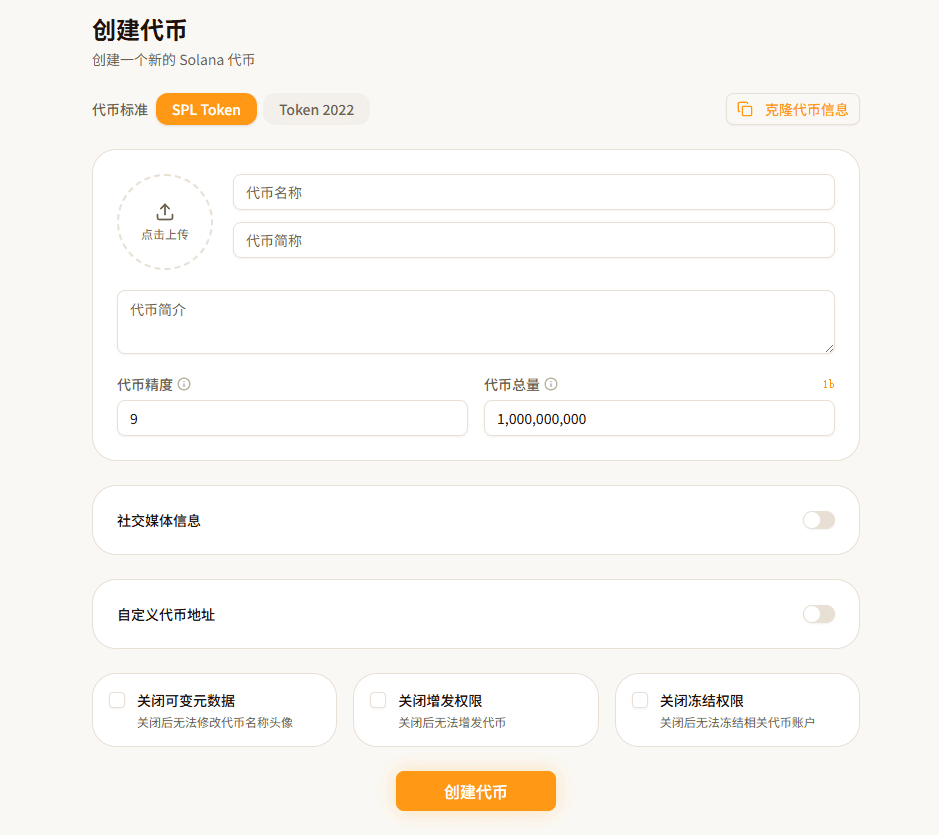
With FoxTool, you can complete all settings through the Create Token feature in one place, or use the "Create & Buy" feature to secure your first purchase.
🎯 Summary
The barrier to creating a token on Solana is genuinely low, but proper preparation will save you from many pitfalls:
- Choose the right standard — SPL Token covers most needs; Token 2022 is for advanced scenarios
- Set decimals carefully — Once set, it can't be changed. 9 is the safest choice
- Revoke with caution — Authority revocation is irreversible. Make sure everything is ready first
- Prepare your assets — Name, image, and social links shape your token's first impression
- Protect your first buy — Use "Create & Buy" to prevent front-running
Ready to go? Try FoxTool's Create Token feature — from filling in the details to on-chain deployment in just a few minutes.
Follow us on Telegram for the latest updates.